> For the complete documentation index, see [llms.txt](https://doc.ancoraspring.com/llms.txt). Markdown versions of documentation pages are available by appending `.md` to page URLs; this page is available as [Markdown](https://doc.ancoraspring.com/asmagic/start-here/record-data.md).

# Record Data

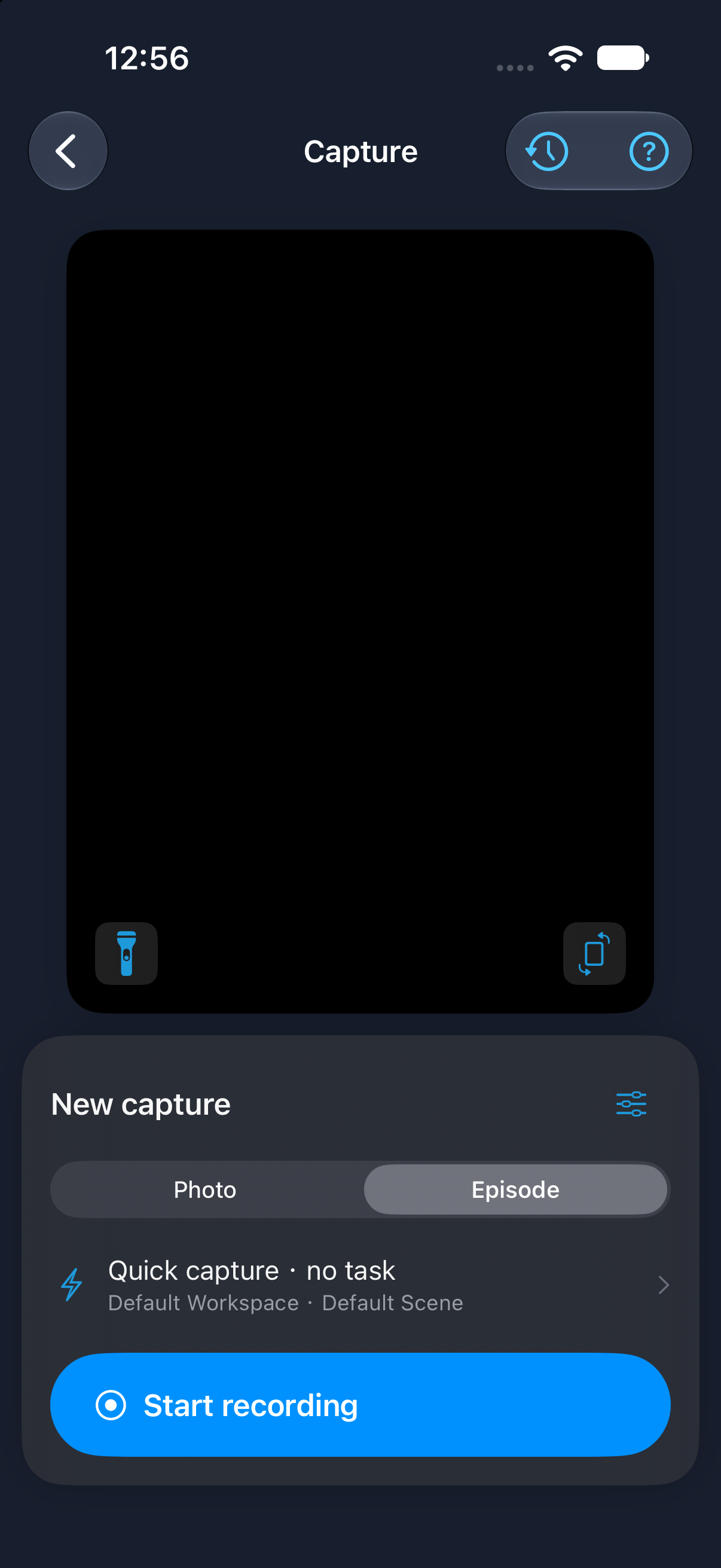
Open **Capture** from Home. Choose **Photo** for a single capture or **Episode** for a recording.

<figure><img src="https://3069436181-files.gitbook.io/~/files/v0/b/gitbook-x-prod.appspot.com/o/spaces%2FiTOs5tBJUyhQCv2lbX6A%2Fuploads%2Fgit-blob-6284bb3173d0722abda5acc9d1f93344800bbc60%2Fapp-capture-episode-3.0-simulator.png?alt=media" alt="Capture with Photo and Episode choices, capture setup row and Start recording button" width="300"><figcaption><p>asMagic 3.0 in the iOS Simulator. The camera preview is black because this capture was taken in the simulator.</p></figcaption></figure>

{% tabs %}
{% tab title="Photo" %}
{% stepper %}
{% step %}
Select **Photo**.
{% endstep %}

{% step %}
Frame the scene and tap **Take photo**.
{% endstep %}

{% step %}
Open **Capture history** to review the result.
{% endstep %}
{% endstepper %}
{% endtab %}

{% tab title="Episode" %}
{% stepper %}
{% step %}
Select **Episode**.
{% endstep %}

{% step %}
Tap **Start recording**, perform the motion, then stop.
{% endstep %}

{% step %}
Open **Capture history** to review the recording.
{% endstep %}
{% endstepper %}
{% endtab %}
{% endtabs %}

<details>

<summary>Capture setup</summary>

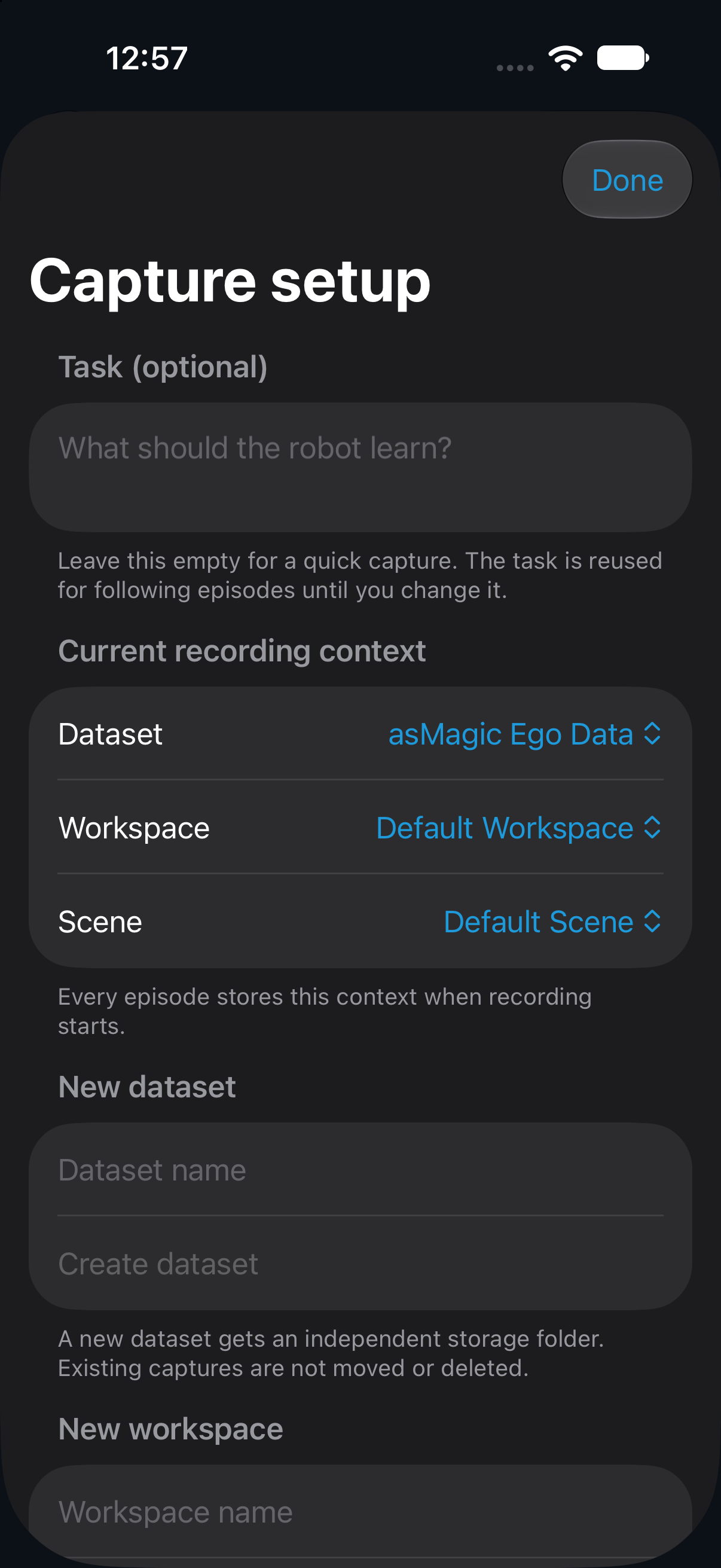
Tap the task and scene row above the recording button to choose a dataset, workspace and scene. Add a task description if needed.

<figure><img src="https://3069436181-files.gitbook.io/~/files/v0/b/gitbook-x-prod.appspot.com/o/spaces%2FiTOs5tBJUyhQCv2lbX6A%2Fuploads%2Fgit-blob-b8125412c92c08012bd4ecc98c671a7248764e38%2Fapp-capture-setup-3.0-simulator.png?alt=media" alt="Capture setup sheet with an optional task and Dataset, Workspace and Scene selections" width="300"><figcaption><p>Capture setup in asMagic 3.0, iOS Simulator.</p></figcaption></figure>

</details>

{% hint style="info" %}
Recording saves data in the App. To receive live data in Python, open [Stream and follow the Quick Start](/asmagic/python-sdk/receiving-streamed-data/quick-start.md).
{% endhint %}